The jq Playground
for VS Code
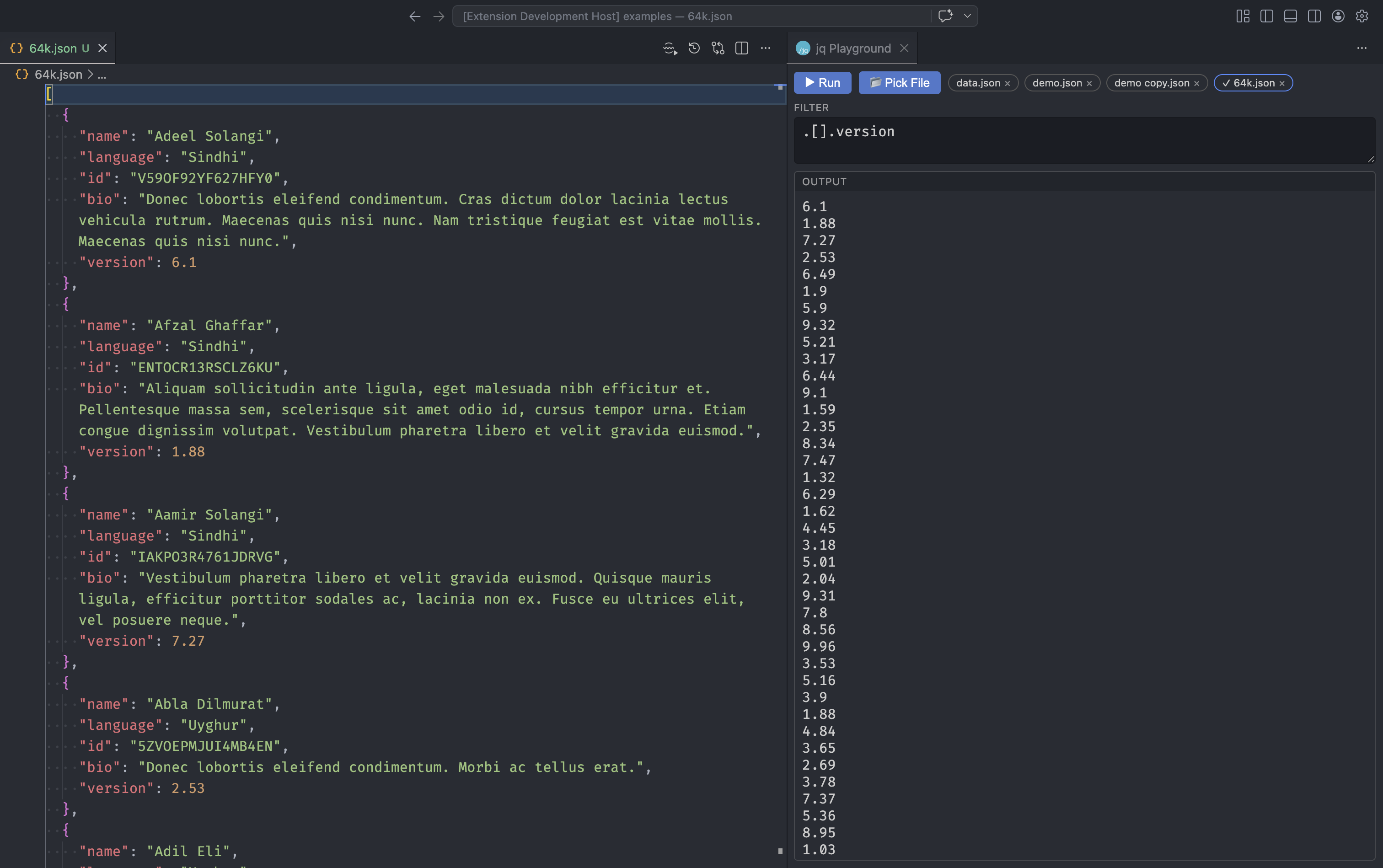
Create interactive notebooks with the full power of jq filters. Work with JSON data from files, URLs, or command line outputs — with a dedicated filter panel, AI assistance, and autocomplete.
Notebook-style jq editing
Execute jq filters interactively with instant results
Everything you need
A comprehensive toolkit for working with jq in Visual Studio Code
Filter Panel
A dedicated webview to pick JSON files, write filters with autocomplete, and see results side by side.
Multiple Input Sources
Work with JSON from inline text, files, URLs, workspace buffers, or command line outputs.
AI-Powered Assistance
Explain, fix, and generate jq filters with GitHub Copilot. Chat with @jq for interactive help.
Command Line Integration
Pipe output from curl, ls, grep, and other commands directly into your jq filters.
Intelligent Autocomplete
IntelliSense powered by official jq builtins with docs and examples as you type.
Keyboard Shortcuts
Execute filters quickly with Cmd/Ctrl+Enter for output or Shift+Enter for editor.
Variable Support
Define variables in your playground and use them in commands and filters.
Chat Participant @jq
Ask @jq in GitHub Copilot chat for help writing, explaining, or debugging jq filters.
Examples
Learn jq through practical examples
Fundamental jq operations
Identity
Returns the input unchanged
jq '.'{"name": "Alice", "age": 30}{
"name": "Alice",
"age": 30
}jq '.'
{"name": "Alice", "age": 30}Documentation
Everything you need to master jq Playground
Overview
New in v5.0.6 — A dedicated webview panel to experiment with jq filters without leaving the editor.
Run JQPG: Open Playground Panel from the Command Palette, or click the jq Playground icon in the Activity Bar to open the filter panel.
Ready to get started?
Install jq Playground for VS Code and start working with JSON data more efficiently.